How Editors Use Track Changes to Improve Your Academic Paper
How Editors Use Track Changes to Improve Your Academic Paper
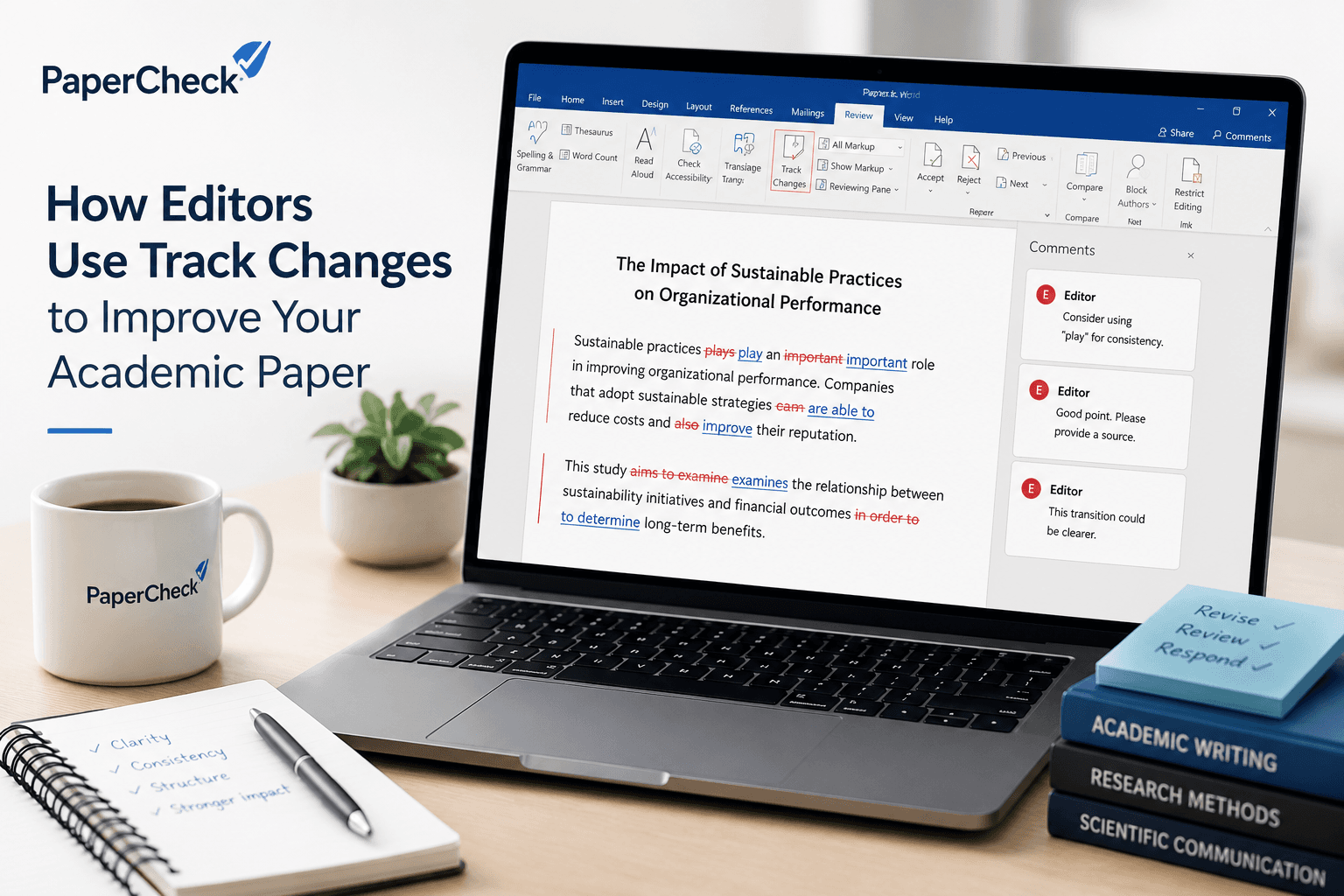
When you receive an edited version of your academic paper, you will often notice that it contains colored text, comments, and suggested revisions. These are usually made using Track Changes. Rather than changing your document permanently, Track Changes records every edit so that you can review and decide whether to keep it.
From an editor’s perspective, Track Changes provides a clear and transparent way to improve a manuscript while preserving the author’s original work. Every insertion, deletion, formatting adjustment, and comment is visible. This allows authors to see exactly what has been changed and why, making the editing process collaborative rather than one-sided.
During an edit, an editor may flag a variety of issues. These often include grammar, spelling, punctuation, and word choice, but they may also involve sentence structure, consistency, or clarity. For example, an editor might suggest replacing repetitive wording, correcting inconsistent terminology, or restructuring a sentence that is difficult to follow. These corrections are usually straightforward and appear as tracked deletions and insertions. If something is unclear or requires the author’s expertise to resolve, the editor can leave a comment instead of making a direct change. Comments are also useful for asking questions, requesting missing information, or pointing out areas that may need further attention.
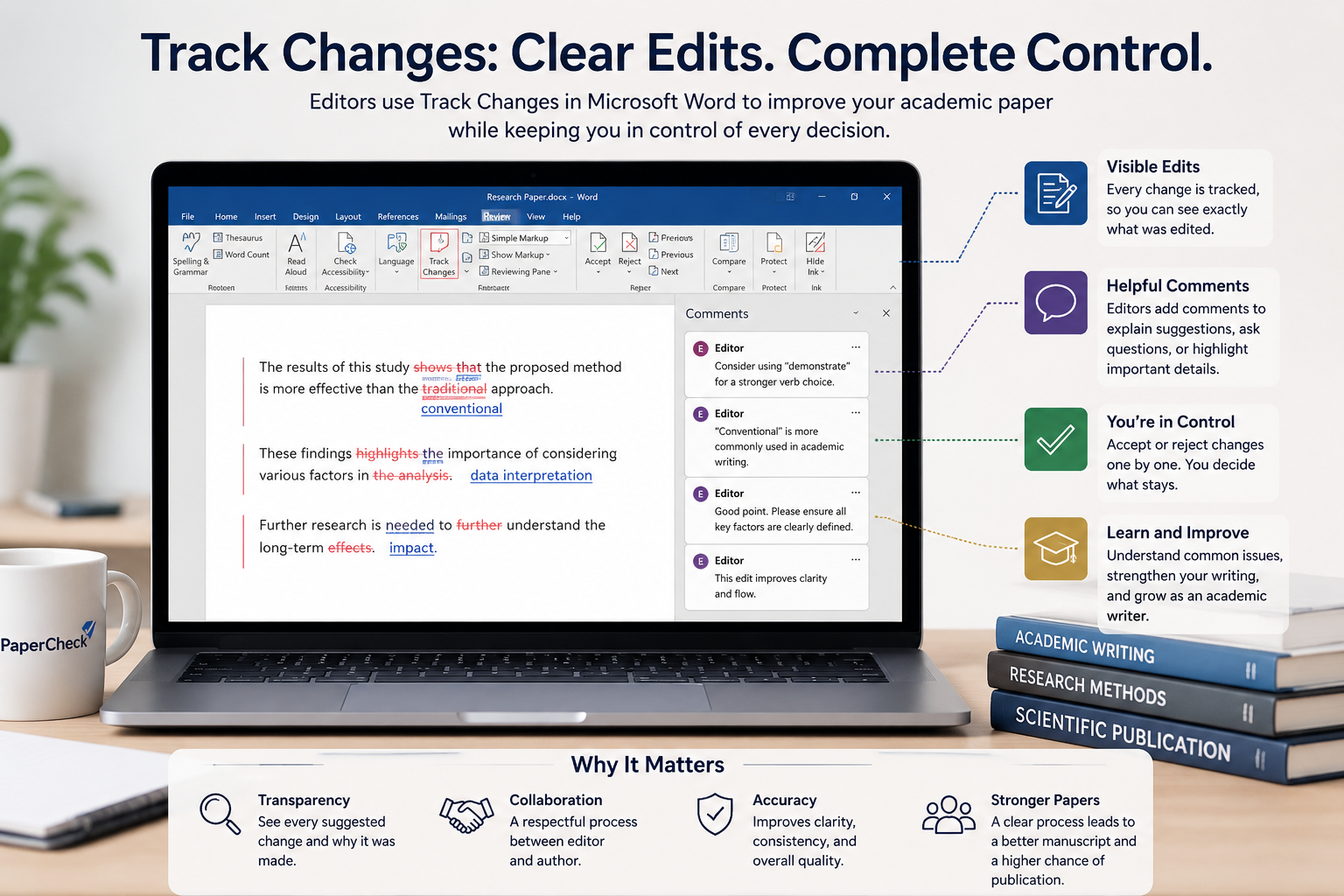
Authors accept or reject tracked changes during revision. To accept an edit, open the review pane (or use the ribbon/menu) and choose “Accept” for individual changes or “Accept All” to apply all suggested edits (although reviewing each suggestion carefully is generally the better approach). If an author wants to keep their original wording, they can reject specific changes. For comments, authors reply inline, resolve the comment when addressed, or delete comments after discussion.
Using Track Changes offers several important benefits. First, it provides complete visibility into the editing process, allowing authors to understand every suggested revision. Second, it creates an opportunity to learn from the edits, helping authors recognize recurring writing patterns and avoid similar issues in future work. Finally, it ensures that authors remain in full control of their manuscript, since no change becomes permanent until it has been accepted.
For academic writing, this transparency is especially valuable. Research papers often require precise wording, accurate terminology, and consistent formatting. By making every revision visible, Track Changes supports careful review while protecting the author’s voice and intentions. Instead of simply receiving a corrected document, authors can actively participate in refining their work, resulting in a stronger final manuscript and a clearer understanding of the editorial process.
In short, Track Changes is more than colored text on a screen. It’s a structured, respectful workflow that balances editorial guidance with authorial choice, helping academic papers become clearer, more consistent, and publication-ready.
Ready for professional academic editing?
At PaperCheck, every edit is completed using Track Changes, giving you full visibility into every suggestion while keeping you in control of your manuscript.
Upload your document today and receive a personalized quote from our editorial team.